Your Ultrahuman Ring AIR is compatible with Apple Health, which means that data syncs between the two platforms.
The Apple Healthkit integration means that datapoints such as heart rate variability, temperature or energy expenditure, which are tracked by the Ultrahuman Ring AIR, can be found within the Apple Health app. This data can then be read by other apps, which can surface your Ultrahuman Ring AIR data in new and exciting ways.
And if you use Ultrahuman M1, you can also get glucose data written to Apple Health as well.
Read on to learn how to connect Apple Health and Ultrahuman data.
Read next: How to maximize Ultrahuman Ring AIR battery life
How to connect Ultrahuman and Apple Health
- Go to the ‘Health’ app on your iPhone
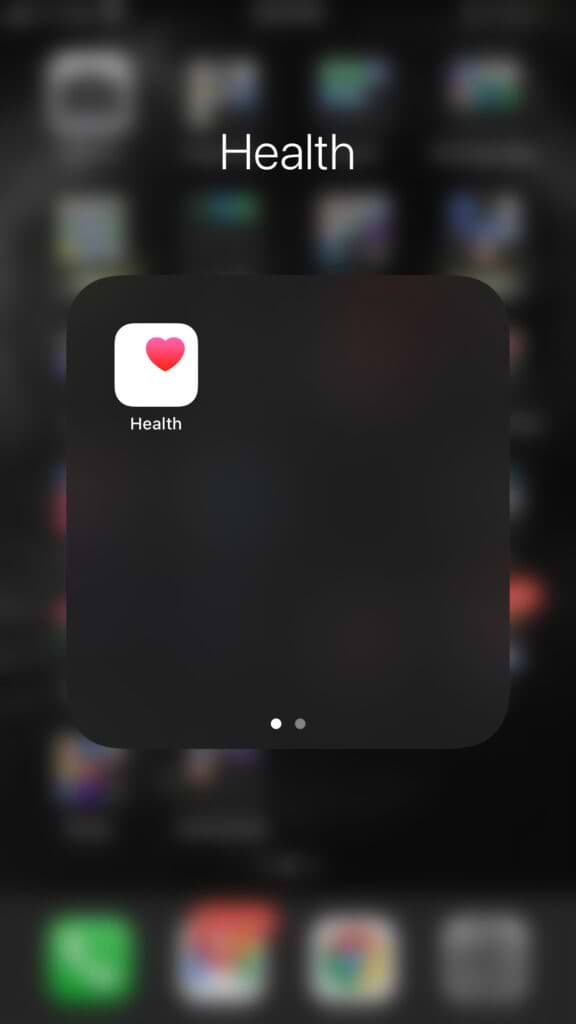
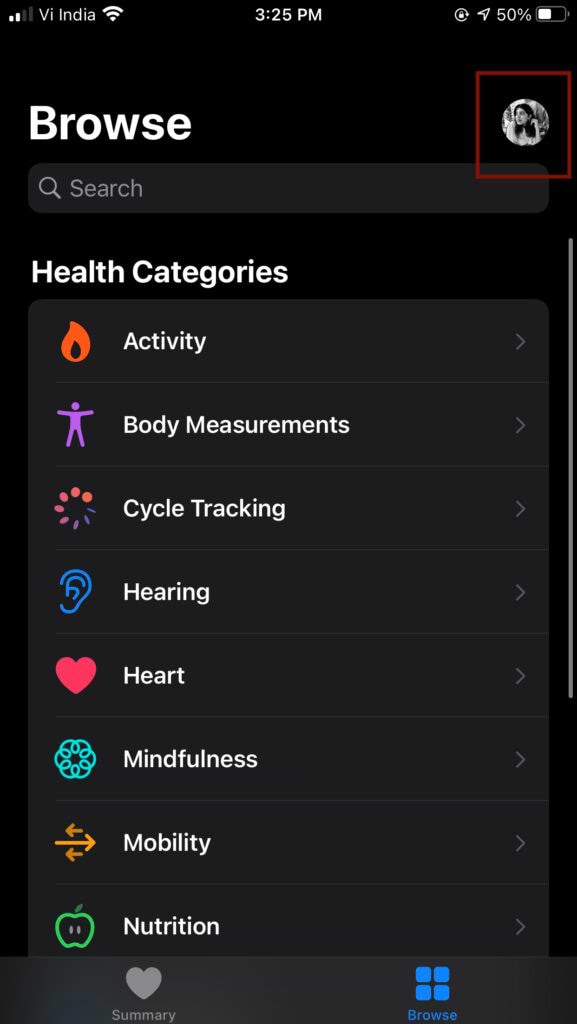
2. Go to your ‘Profile’ by clicking on the image on the top right corner
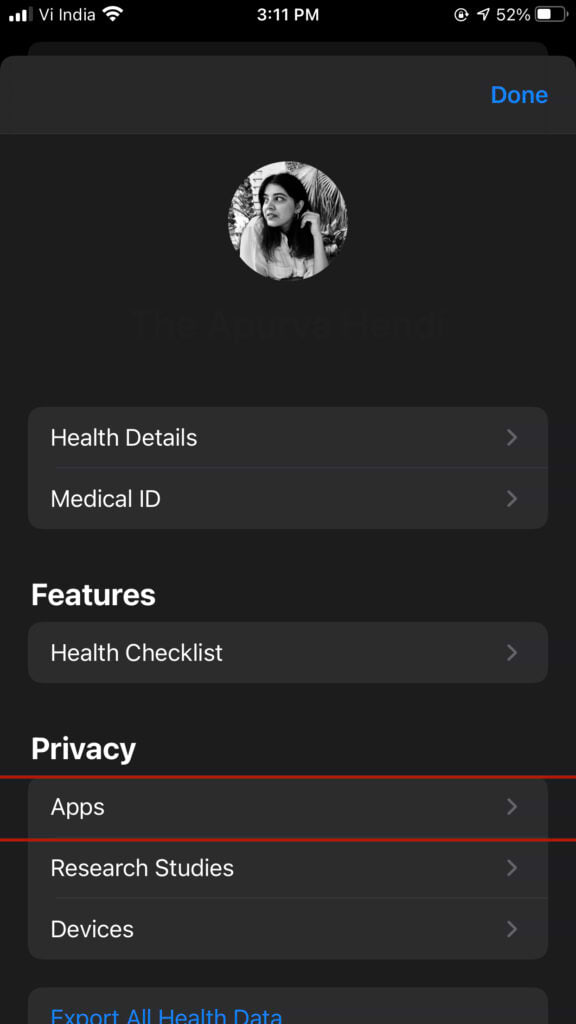
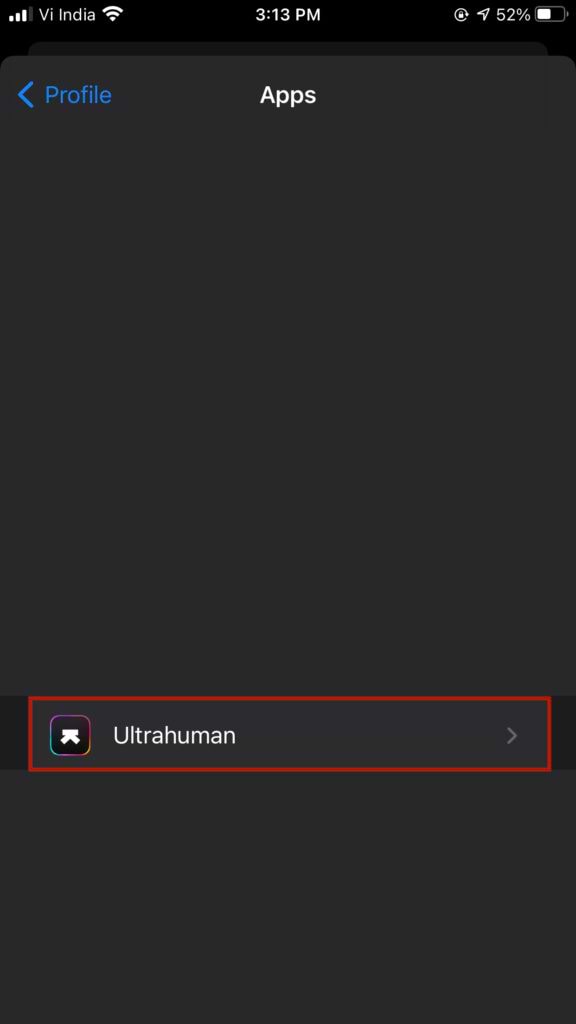
3. Go to ‘Apps’
4. Select ‘Ultrahuman’
5. Click on ‘Turn All Categories On’
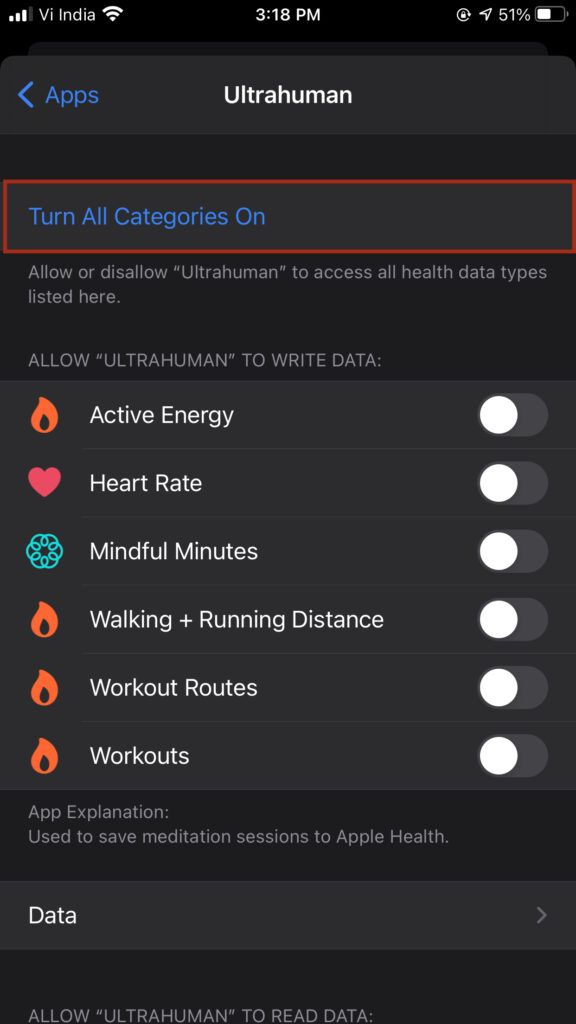
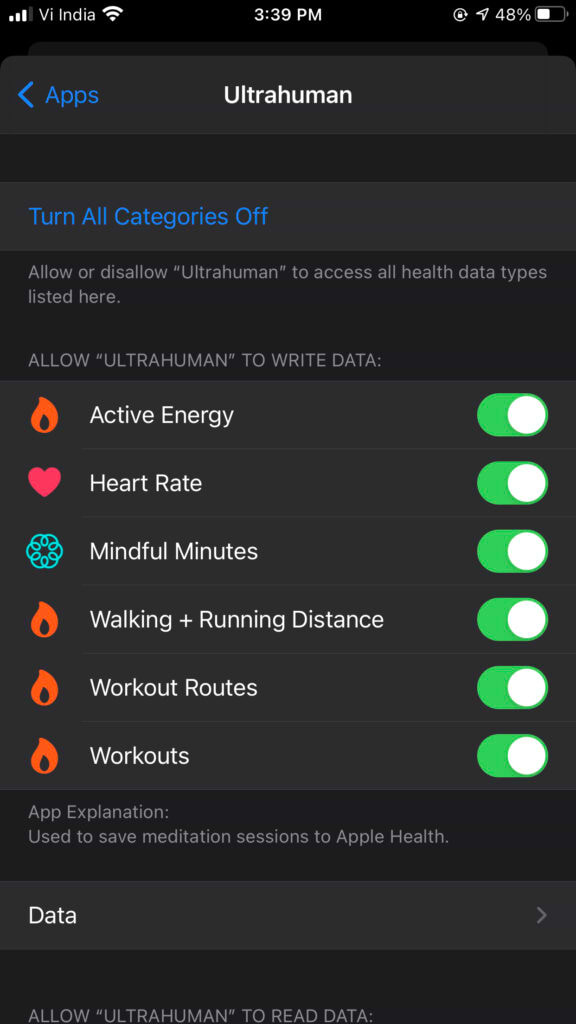
6. Your data will now begin syncing with the Ultrahuman app. Ultrahuman records your HRV data for three days to set up a baseline and then provide recommendations accordingly.
How to find Ultrahuman data in Apple Health
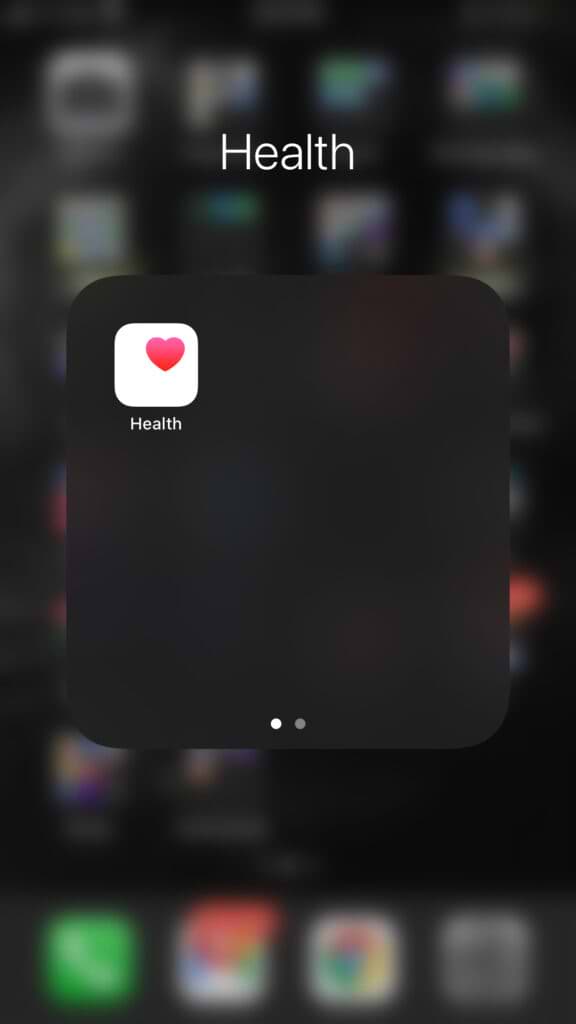
- Open the ‘Heath’ app on your iPhone
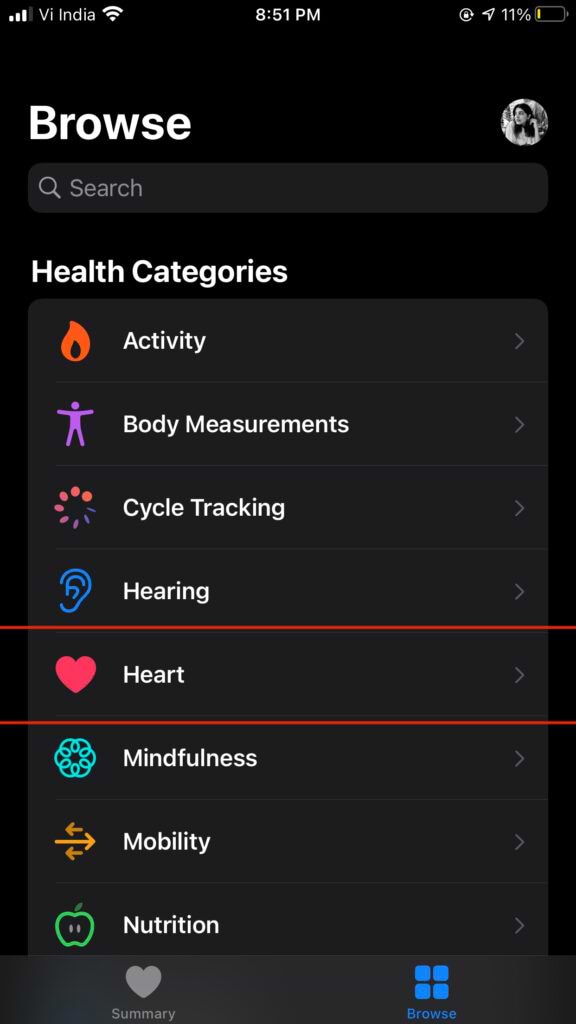
2. Go to ‘Browse’ tab and select “Heart”
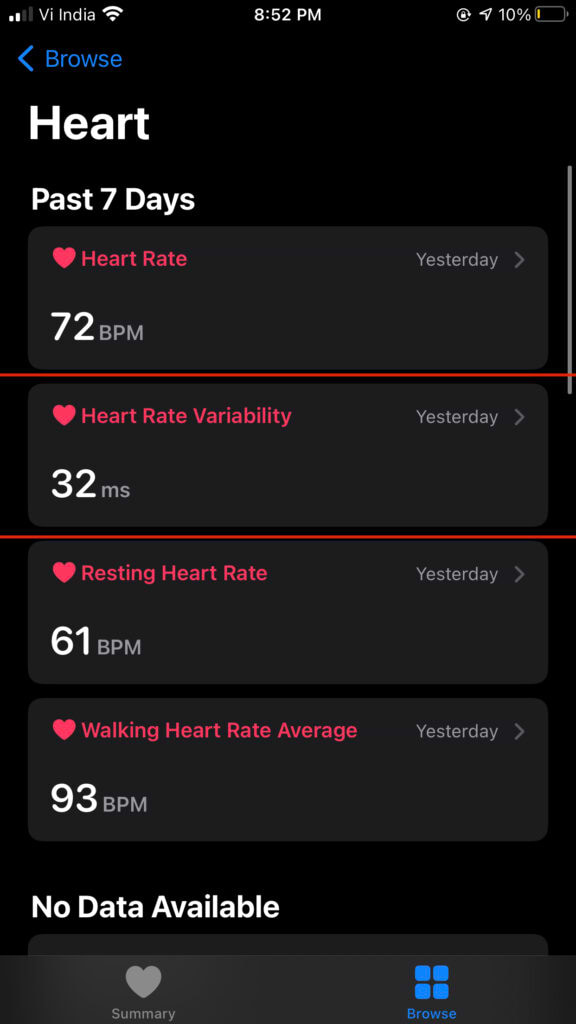
3. Go to “Heart Rate Variability”
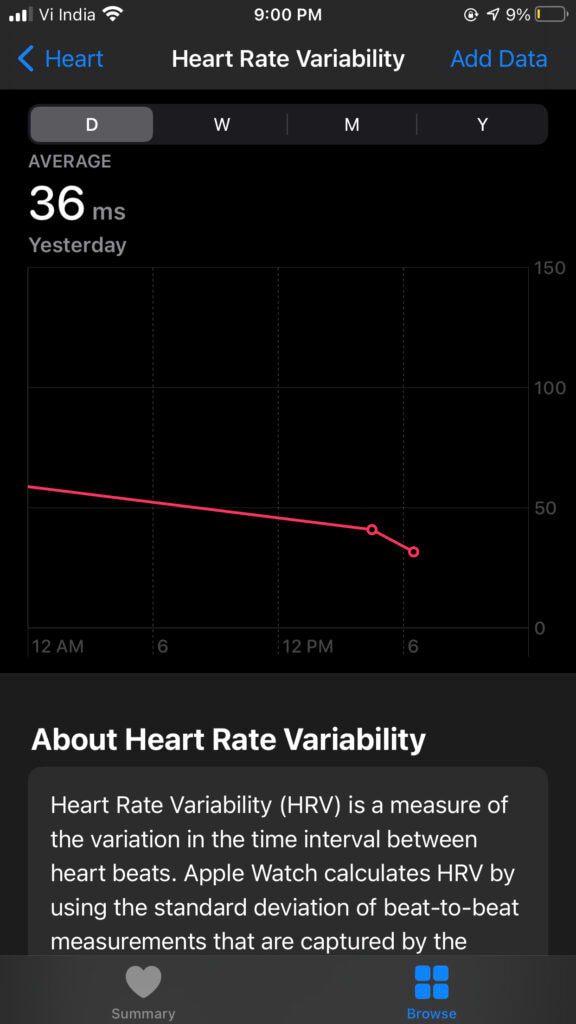
4. You should be able to see your HRV data here
Quick Links
THE AUTHOR